

A static pricing page asks buyers to imagine the outcome. An interactive ROI calculator or product configurator lets them see a number with their own inputs. For B2B tech websites, that shift often separates browsers from people willing to talk to sales.
Our team sees these tools work when they feel like a helpful worksheet, not a trap. They fail when they demand a long form before any value, hide assumptions or invent savings nobody can defend on a call.
Why interactive tools convert differently
B2B purchases involve more than one person. A champion needs something to forward internally. A calculator output, a configured stack summary or a simple PDF of results gives them a shareable artifact. That is more useful than another “Request a demo” button alone.
These tools also qualify quietly. Someone who models three hundred seats and multi-region support is a different lead than someone who clicks around with default values. Your sales team can prioritize accordingly if the data reaches the CRM.
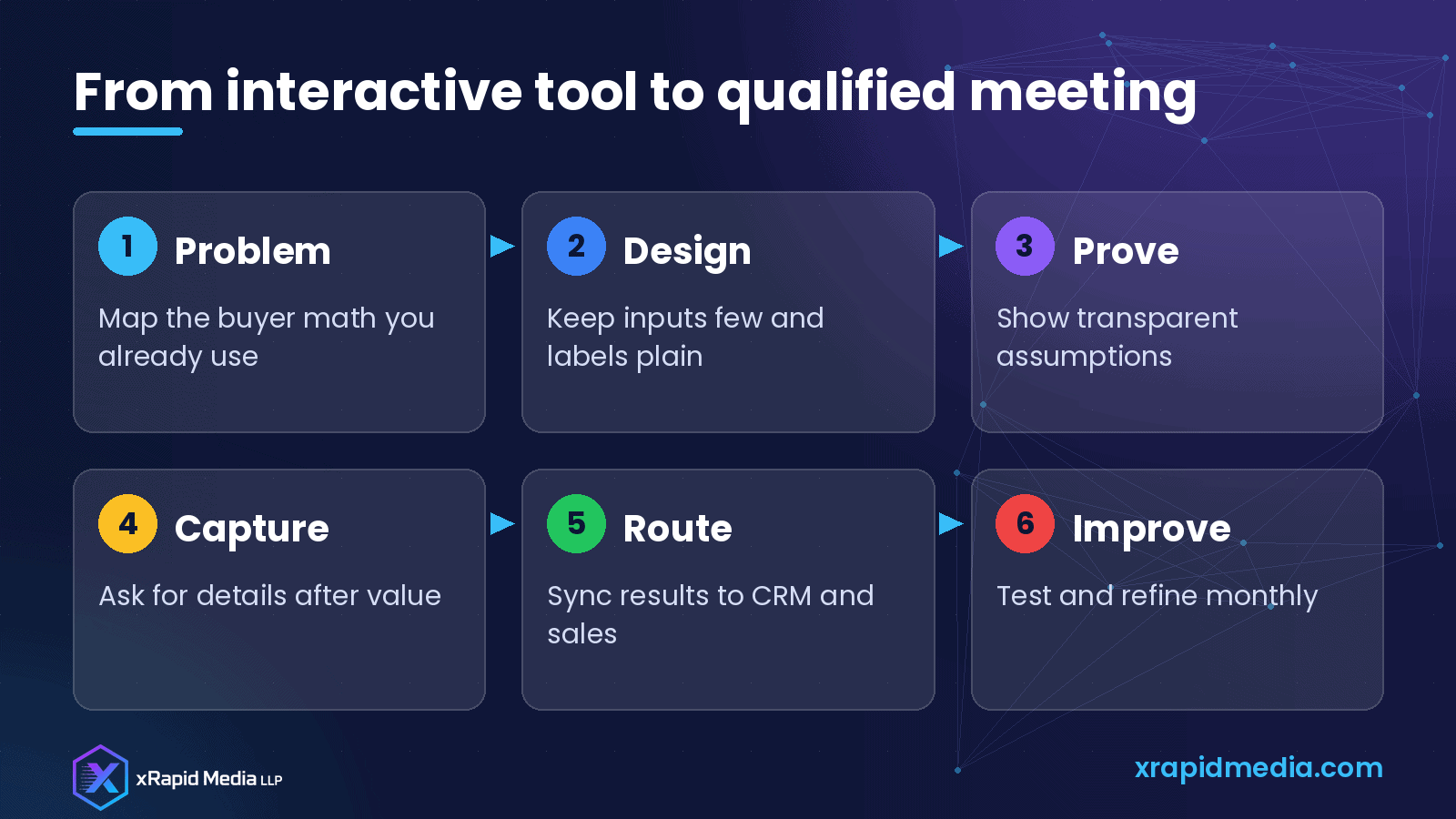
Decide which math buyers already believe
Do not invent a complex model for marketing theater. Start with the worksheet your best reps already use on calls: seats times price, hours saved, tickets deflected, downtime avoided, infrastructure consolidated. If sales will not stand behind the formula on a live demo, do not put it on the site.
Write assumptions in plain English next to the result. “Assumes average handle time of six minutes” is honest. “Industry-leading efficiency gains” without a basis is not.
Keep the interface short and mobile-friendly
Most people will try the tool on a laptop, but many will open a shared link on a phone. Use a small number of inputs with clear labels. Prefer sliders or simple number fields over jargon dropdowns. Show results updating as they type so the page feels responsive.
For configurators, guide one decision at a time: product family, scale, must-have integrations, support level. Save the dense option matrix for a downloadable sheet or a sales conversation.
Give value before you ask for contact details
Let visitors see a useful result first. Then offer to email the full breakdown, save the configuration or book a walkthrough with an expert. Soft gates convert better than hard walls for most mid-market and enterprise tools.
When you do capture details, ask only what routing needs: work email, company, role and maybe company size. Pre-fill anything you already know from the calculator inputs.
Connect the tool to sales reality
A calculator that emails marketing a CSV once a week is half finished. Push results into your CRM with the inputs, the output and the page URL. Notify the right owner when a high-intent configuration appears. Give reps a one-line summary they can open before the call: “Modeled 120 agents, estimated monthly savings X based on assumptions Y.”
Also plan the follow-up. A short note that references their scenario beats a generic nurture sequence.
Design for trust and compliance
Use conservative defaults. Avoid promising guaranteed savings. Include a clear disclaimer that results are estimates. If you collect personal data, say how you use it and link to your privacy policy. Do not scrape third-party data into the tool without permission.
Accessibility matters too: keyboard navigation, readable contrast and labels that screen readers understand. A broken interactive widget damages confidence in the product itself.
Measure what matters
Track more than form fills. Watch:
- Starts versus completions
- Average time in tool
- Share or email-result clicks
- Meetings booked from calculator leads
- Opportunity creation and win rate versus other sources
If completions are high but meetings are low, the math may be interesting but the offer after the result is weak. If starts are low, the entry point on the site may be buried.
Content that supports the tool
Surround the calculator with short explainers: how the model works, who it is for and a couple of anonymized example scenarios. Pair it with a case-style story that uses the same language as the tool. Sales decks should match the website math so buyers do not hear two different stories.
Common mistakes
- Asking for a demo form before showing any output
- Using unverifiable “industry averages” as the core claim
- Building thirty inputs because product loves edge cases
- Leaving sales out of the formula design
- Never updating assumptions after pricing or packaging changes
A practical build path
Week one: document the sales worksheet and pick five inputs. Week two: prototype the UI and assumption copy. Week three: connect CRM and email delivery of results. Week four: soft launch to a segment of traffic, gather feedback from sales and refine.
Interactive tools will not replace good positioning or a clean demo path. They do give serious buyers a reason to engage and give your team cleaner signal about who is ready.
If you want help designing ROI calculators, configurators and the lead routing around them for a B2B tech site, xRapid Media LLP can partner with your marketing and web team. Book a free B2B marketing consultation and we will look at where an interactive tool could fit your funnel.
About xRapid Media
xRapid Media LLP is a High Tech B2B Marketing company for technology businesses: software and SaaS companies, IT services and managed service providers, and hardware and IT product vendors. Our team combines positioning and content, account-based marketing, paid ads funnels, verified B2B data, intent signals, email and LinkedIn outreach and appointment setting to help you reach the right buyers and turn their attention into qualified leads and meetings.
Want help putting ideas like these into practice? Email [email protected] or book a time with our team.