

For many B2B tech companies, the website is the single biggest source of inbound demand. Years of blog posts, solution pages, documentation and comparison content have built up search visibility, and that visibility quietly feeds demo requests every week. Then the company decides to move to a new CMS, merge two sites after an acquisition or change its domain, and a few weeks after launch the inbound numbers drop.
That drop is rarely caused by the new design. It is usually caused by missing redirects, lost content, broken tracking or forms that stopped sending leads to the CRM. The good news is that almost all of it is preventable.
Our team at xRapid Media LLP, a High Tech B2B Marketing company, works with software, SaaS, IT services and hardware companies on websites that are built to generate pipeline. Here is the checklist we recommend before any replatforming project.
Know why you are migrating
Write down the goal in one sentence. “Our marketing team can publish without a developer” is a very different project from “We are merging two product brands into one domain.” The goal decides how much can change at once.
A practical rule: change as few things at the same time as you can. Moving CMS, restructuring URLs, rewriting content and redesigning every page in one launch makes it very hard to know what caused a problem if traffic falls.
Build a complete inventory
Before anyone touches the new site, list everything the old one has. That includes:
- Every indexable URL, from a crawl plus your XML sitemap and analytics landing page reports.
- Pages that earn organic traffic, backlinks or conversions, flagged as high priority.
- Every form, where it sends data and which CRM campaign or owner it feeds.
- PDFs, gated assets, images and documentation that other sites link to.
- Tracking: analytics tags, ad pixels, consent tools and conversion events.
Teams often discover forgotten landing pages from old campaigns that still bring in leads. Those are exactly the pages that vanish without an inventory.
Map every old URL to a new home
Create a redirect map with one row per old URL and a single, most relevant destination. Guidelines that keep it clean:
- Use permanent (301) redirects from old URLs to their closest equivalent.
- Avoid sending everything to the homepage. Buyers and search engines both treat that as a dead end.
- Prevent redirect chains, where one old URL hops through several others.
- Keep URLs unchanged wherever the new platform allows it. The safest redirect is the one you do not need.
Rebuild content and on-page signals carefully
When content moves, the elements that help it rank should move too. Check titles, meta descriptions, headings, internal links, image alt text, structured data and canonical tags on high-priority pages. If you are rewriting copy at the same time, keep the topics and questions each page answers, even if the wording changes.
Pay special attention to pages that answer specific buyer questions, such as integration pages, pricing explanations and comparisons. These often attract high-intent visitors and are easy to lose during a content cleanup.
Test on staging before launch
A staging site is where problems should be found. Before go-live:
- Crawl the staging site to find broken links, missing titles and accidental noindex tags.
- Test the redirect map against the staging URLs with a crawler or script.
- Submit every form and confirm the lead arrives in the CRM with the right source fields.
- Check page speed and mobile layouts on key templates.
- Confirm analytics and conversion events fire correctly.
Make sure staging is blocked from search engines while you test, and remember to remove that block at launch. Forgetting it is one of the most common and painful migration mistakes.
Launch with a plan for the first day
Choose a launch window outside your busiest period, such as the week before a major trade show. On launch day:
- Deploy redirects at the same moment the new site goes live.
- Remove any staging restrictions and check robots settings.
- Submit the updated XML sitemap in Google Search Console and Bing Webmaster Tools.
- Spot-check your highest-priority URLs and forms by hand.
- Tell sales and support what changed so they can report anything odd.
Monitor for at least several weeks
Some movement in rankings after a migration is normal while search engines process the changes. What you want to catch quickly are real problems:
- Spikes in 404 errors or crawl errors in Search Console.
- High-priority pages that lost traffic and did not recover.
- Forms with fewer submissions than before, which can signal a tracking or routing issue rather than lower demand.
- Backlinks pointing to URLs that are not redirected.
Compare leads and demo requests, not just traffic. A site can recover its traffic and still lose pipeline if conversion paths broke.
Conclusion
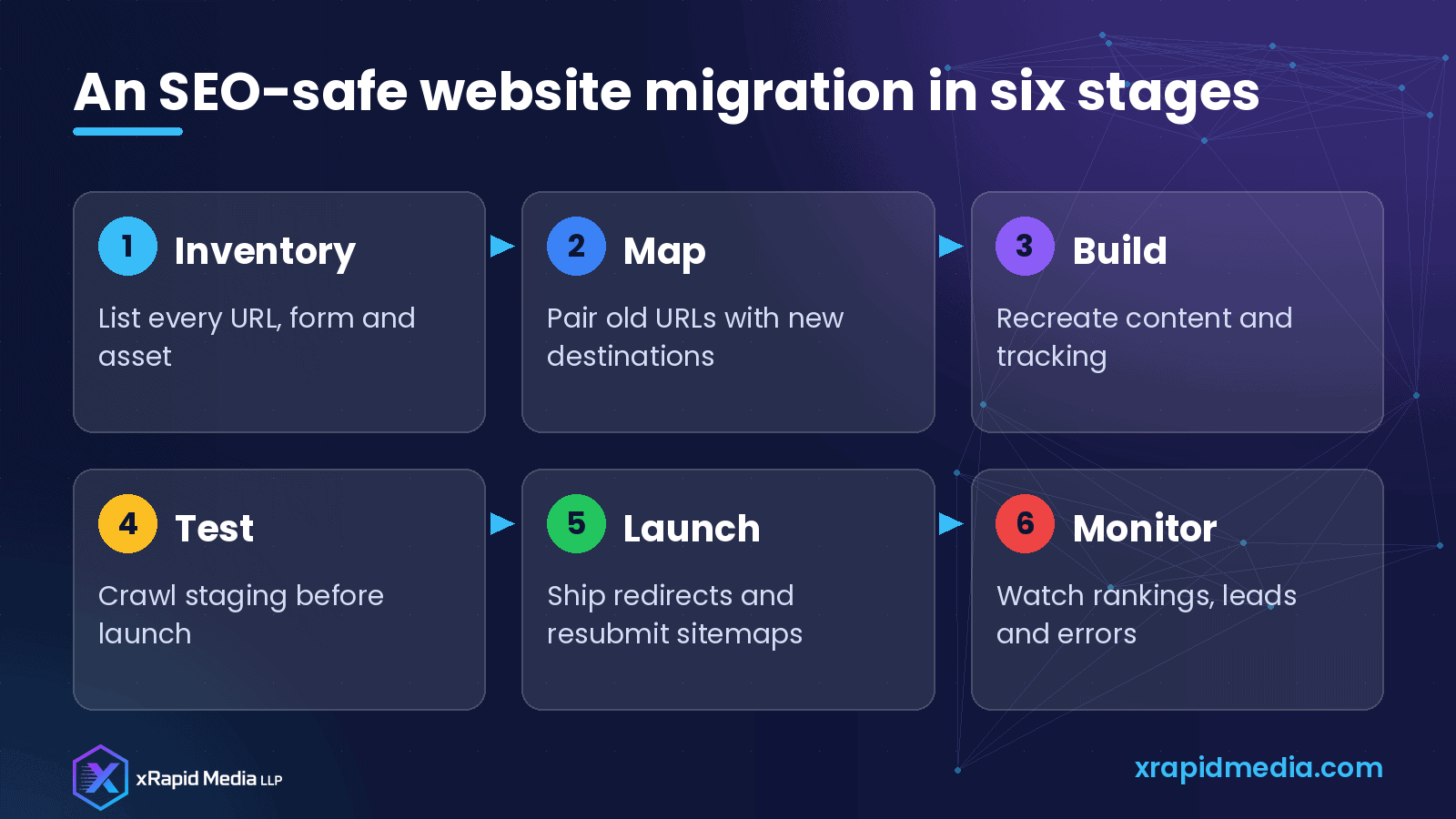
A website migration is a chance to give your B2B tech company a faster, easier-to-manage site, but it can also undo years of search visibility if it is rushed. Inventory everything, map every URL, test on staging, launch with a checklist and watch leads as closely as rankings.
If you are planning a replatforming project and want it to protect your pipeline, book a free B2B marketing consultation with xRapid Media LLP.
About xRapid Media
xRapid Media LLP is a High Tech B2B Marketing company for technology businesses: software and SaaS companies, IT services and managed service providers, and hardware and IT product vendors. Our team combines positioning and content, account-based marketing, paid ads funnels, verified B2B data, intent signals, email and LinkedIn outreach and appointment setting to help you reach the right buyers and turn their attention into qualified leads and meetings.
Want help putting ideas like these into practice? Email [email protected] or book a time with our team.