

Zoom Contact Center gives Salesforce teams two ways to connect. One is the classic integration delivered through the Zoom for Salesforce Lightning app. The other is a newer Service Cloud Voice package. With Salesforce retiring Open CTI, which one you run now matters a lot.
Key facts at a glance
- Zoom’s classic Salesforce setup adds the Open CTI Softphone utility and a call center file with “Use CTI API” set to true.
- Salesforce retires Open CTI on February 28, 2028.
- Zoom Contact Center for Service Cloud Voice needs a Zoom Contact Center license, a Service Cloud Voice for Partner Telephony license and Zoom’s managed package.
- In the Service Cloud Voice integration, Salesforce controls screen pops and record creation through flows.
Here is how to tell which setup you have, what the Service Cloud Voice route requires, and where the real rebuild work sits.
How to tell if you are on Open CTI
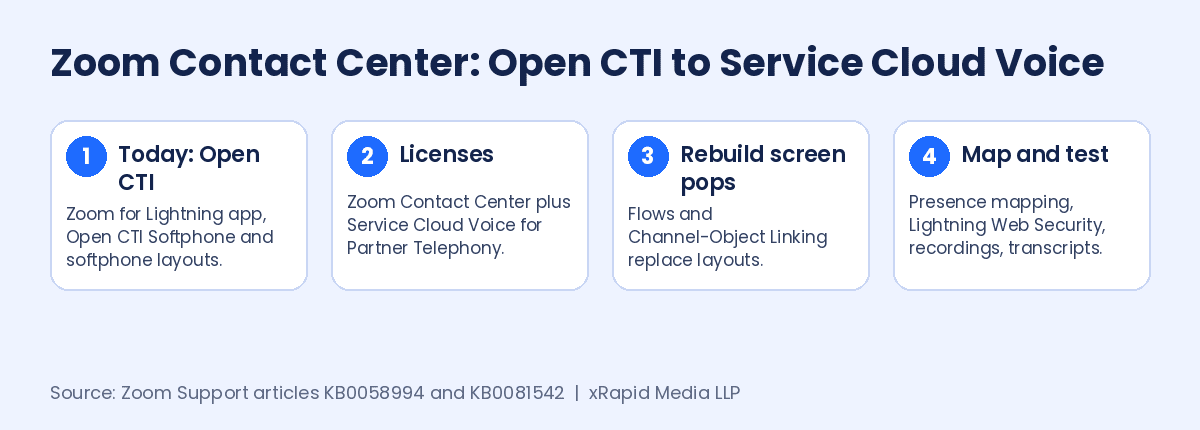
Zoom’s classic Salesforce Lightning setup guide has admins add the Open CTI Softphone utility item to their Lightning app and import a call center XML file in which “Use CTI API” is set to true. Screen pops are configured with Salesforce softphone layouts. If that matches your org, your integration relies on Open CTI.
The Salesforce retirement notice says Open CTI reaches end of life on February 28, 2028, when legacy connectors stop functioning. New Agentforce Service orgs already cannot implement it.
The classic integration is broad. Zoom says the widget inside the CRM supports voice, SMS, web chat, video, work items, email, AI Expert Assist, AI transcripts, CoBrowse, screen recording and the outbound dialer. That is the feature list you will want to check against the new setup.
What Zoom Contact Center for Service Cloud Voice requires
Zoom’s Service Cloud Voice configuration guide lists four requirements: account owner or admin privileges, a Zoom Contact Center license, a Service Cloud Voice for Partner Telephony license, and the Zoom Contact Center for Service Cloud Voice managed package. Zoom notes it supports Salesforce Enhanced Omni-Channel.
Zoom also lists three limitations. Refreshing the browser during an active call is not supported. Opening several browser tabs with the interface can cause problems. And users must be logged in through Omni-Channel to play call recordings.
Where the rebuild work really is
Screen pops move to flows. Zoom states that Salesforce controls screen pop and record creation in this integration. You use record-triggered flows on the Voice Call object for standard data such as phone number, and Omni-Channel flows when you need custom Zoom variables, like a ticket or account number captured in the IVR. Softphone layouts no longer do this job.
Caller matching changes. Caller matching uses Salesforce Channel-Object Linking. Zoom notes that Salesforce currently supports linking the phone channel only to the Contact object, so teams that pop Leads or Accounts today should test this early.
Status mapping is required. Zoom says the Omni-Channel presence mapping is mandatory. Without it, agents can show as Available in Salesforce but Occupied in Zoom and will not receive inbound calls. Lightning Web Security must also be enabled, or inbound calls can fail with a status mapping error.
Records and reporting. Voice creates VoiceCall records, and a single multi-leg call, such as a transfer or conference, can create several of them. SMS and chat create Messaging Session records through a Salesforce Bring Your Own Channel setup, email creates Case and EmailMessage records, and video is logged as a voice call record. Any report built on Tasks today will need a fresh look.
Agent tools. Zoom provides Lightning components for the Voice Call page, including AI Expert Assist, talk metrics and a video component that lets agents upgrade a voice call to video. Real-time transcription appears on the voice call record page.
What this means for your contact center
- Check your call center file. “Use CTI API = true” and the Open CTI Softphone utility mean you are on the retiring path.
- Price the licenses. Each agent needs Service Cloud Voice for Partner Telephony on top of Zoom Contact Center.
- Rebuild screen pops as flows. Budget admin time for record-triggered and Omni-Channel flows.
- Test matching on Leads and Accounts. Phone linking currently targets Contacts only.
- Retrain on browser habits. No refreshing mid-call and no extra tabs.
If you are comparing vendors while you rebuild, Partner Contact Center Powered by Vonage runs on Salesforce Voice, and Vonage Contact Center for Salesforce brings voice, video, WhatsApp, SMS, chat and email into the same Salesforce workspace.
Planning your Open CTI migration?
xRapid Media LLP is a High Tech B2B Marketing company and Vonage channel partner. Book a free consultation with a Vonage contact center expert with 20 years of experience, and we will help you compare your options and map a clear, low-risk path to Salesforce Voice, with voice, video, WhatsApp, SMS, chat and email in one workspace.
Get a free Vonage consultation More Open CTI migration news →