
Plenty of teams are unhappy with their current project management, documentation or collaboration tool. They complain about it in meetings, they work around it with spreadsheets and they quietly look at alternatives. Yet many of them never switch. The reason is not loyalty. It is fear of migration: losing data, breaking workflows, retraining everyone and getting blamed if it goes wrong.
For productivity software companies, that fear is one of the biggest barriers to growth, and also one of the biggest opportunities. A team that sees a clear, credible path to switching is far more likely to start a trial and bring colleagues along.
Our team at xRapid Media LLP helps SaaS and software companies build content and campaigns that win competitive deals. Here is how we approach migration guides and switching programs as a marketing asset.
Understand why teams want to switch
Start with research. Talk to customers who switched from a competitor and ask what triggered the decision, what nearly stopped them and what helped them through. Review sales call notes and support tickets for recurring themes.
You will usually find a few recurring triggers, such as a price change, a team outgrowing the tool, a new leader with different preferences or frustration with a missing capability. You will also find the specific fears that delay a move. Both shape your content.
Map data and features honestly
The most useful migration content explains exactly what moves over and what does not. Build a mapping for each major competitor:
- Which data types can be imported, such as projects, tasks, documents, comments and attachments.
- How structures translate, such as folders to spaces or boards to projects.
- What needs manual setup after import, like permissions or automations.
- Any features with no direct equivalent and the recommended alternative.
Be honest about gaps. A buyer who discovers a missing feature halfway through a migration feels misled. A buyer who saw it clearly in your guide feels respected.
Publish clear step-by-step guides
Create a dedicated guide for each competitor you commonly replace. A strong guide includes:
- A short overview of the migration process and typical timeline factors.
- Preparation steps, such as cleaning up old projects and choosing a pilot team.
- Export instructions from the old tool, with screenshots of your own product where helpful.
- Import steps and settings in your product.
- A post-migration checklist covering permissions, integrations and training.
Write for the person who will actually do the work, often an operations lead or team admin rather than an executive. Keep the tone practical and respectful toward the competitor. Disparaging another product tends to make buyers defensive about their past choice.
Offer assisted migration for larger teams
For bigger accounts, a guide may not be enough. Offer assisted migration: a session with your team to plan the move, help with the import and a check-in after the first weeks. This can be a strong conversion offer on migration pages and in sales conversations, because it directly addresses the fear of doing it alone.
Be clear about what assistance includes, which plans qualify and how long it typically takes for an account of that size based on your own experience.
Share honest switching stories
Buyers trust peers who have already made the move. With permission, publish short switching stories from customers: what they moved from, why, how the migration went, what surprised them and what they would do differently. Include the challenges as well as the wins. Stories that admit a few bumps tend to be more believable.
Reach accounts showing switch intent
Migration content becomes more powerful when you put it in front of the right accounts at the right time. Signals to watch include:
- Searches and site visits around “alternative to” or “migrate from” a specific competitor.
- Reputable intent data showing research on competitor comparisons.
- Review site activity, where available through legitimate partnerships.
- Trial sign-ups from teams that mention a competitor during onboarding.
Use these signals for account-based campaigns and thoughtful outreach that offers the relevant migration guide, not a hard sell.
Connect migration content to the product
The guide should lead naturally into your product. Add an importer link, a migration checklist inside onboarding and in-app tips that reference the tool the team came from. Sales and customer success should know which guide to send and when.
A practical example: a documentation tool notices trial teams frequently mention a specific competitor. It builds a dedicated guide, adds an import option to onboarding, offers a migration session for teams above a certain size and runs a small LinkedIn campaign aimed at operations leads at accounts showing comparison research. Every piece reinforces the same message: switching is manageable.
Conclusion
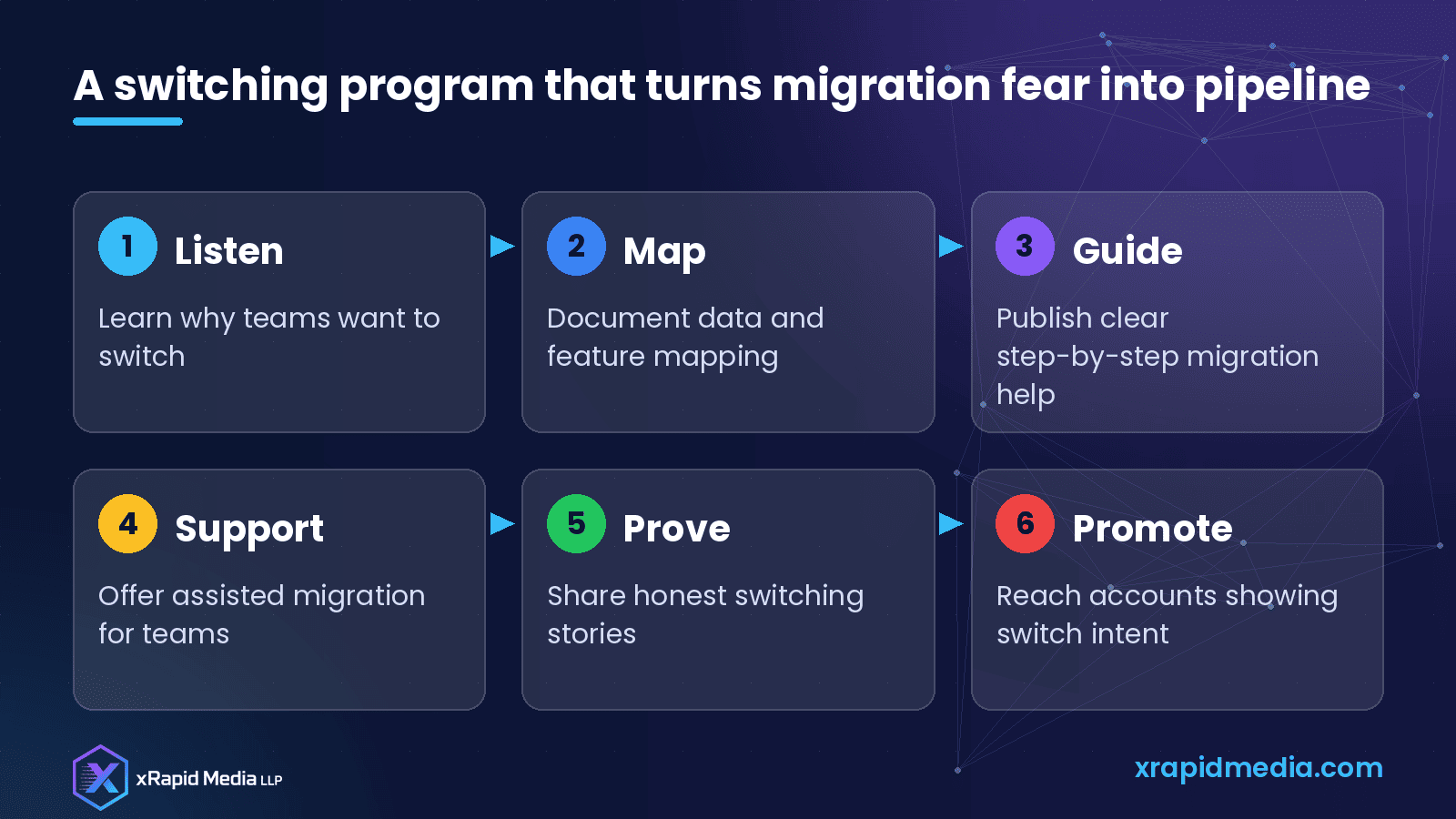
Many teams stay with tools they dislike simply because switching feels risky. Research why teams switch, map data honestly, publish practical guides, offer assisted migration, share real stories and reach accounts showing switch intent.
If you want help building competitive content and campaigns for your productivity software, book a free B2B marketing consultation with xRapid Media LLP.
About xRapid Media
xRapid Media LLP is a High Tech B2B Marketing company for technology businesses: software and SaaS companies, IT services and managed service providers, and hardware and IT product vendors. Our team combines positioning and content, account-based marketing, paid ads funnels, verified B2B data, intent signals, email and LinkedIn outreach and appointment setting to help you reach the right buyers and turn their attention into qualified leads and meetings.
Want help putting ideas like these into practice? Email [email protected] or book a time with our team.