
Your team spent months building a new feature for your B2B mobile app. It ships on a Tuesday, a release note goes out, and then… not much happens. Usage stays flat. Sales doesn’t mention it. Customers who would love it never hear about it.
This is one of the most common problems we see with B2B app companies. Building the feature is only half the job. The other half is making sure the right people at the right accounts know it exists and understand why it matters to them.
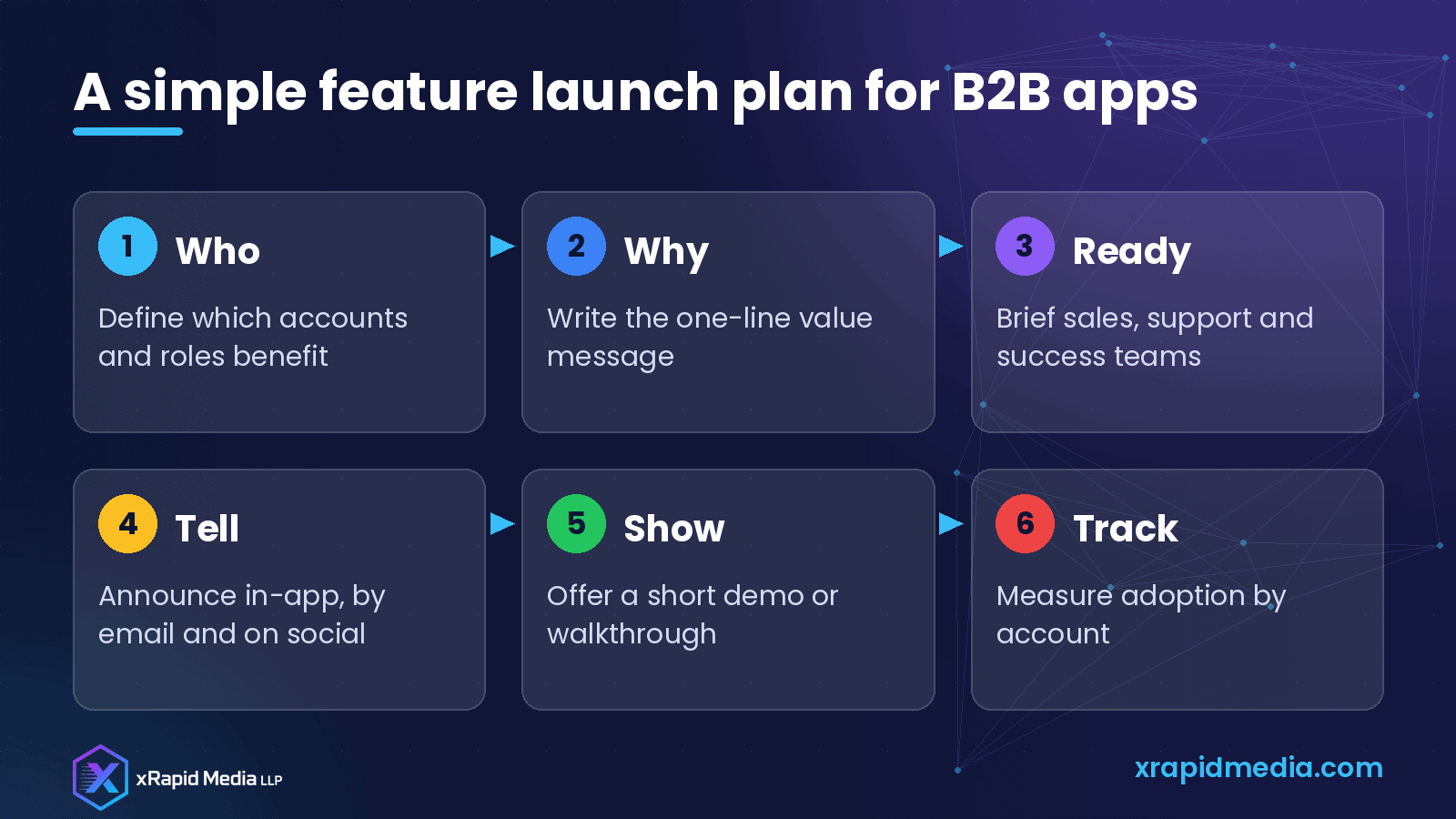
Here’s a go-to-market checklist our team uses for feature launches in business apps.
Why B2B app launches are different
In consumer apps, the person who downloads the app is usually the person who decides whether to keep using it. In B2B, it’s more complicated. The field technician uses the app, the operations manager cares about the reports, IT controls access and finance signs the renewal.
A feature launch needs to reach each of these people with a message that fits their role. A single “What’s new” note in the app store rarely does that.
Step 1: Decide who the feature is really for
Start by listing which customer accounts and which roles benefit most. Be specific. “All users” is rarely true.
For example, an offline mode for a field-service app matters most to:
- Technicians who work in basements, rural areas or large facilities with weak signal
- Operations managers who are tired of missing job updates
- Customers in industries like utilities, construction or facilities management
That list tells you who to talk to first and what to say.
Step 2: Write a one-line value message
Before writing any launch content, agree on one sentence that explains the benefit in plain language. Not the technical description, but the outcome.
“Offline mode” is a feature. “Your technicians can complete and sync jobs even without a signal” is a benefit. Use that sentence everywhere: in-app, email, sales decks and social posts.
Step 3: Prepare your internal teams first
Your sales, customer success and support teams should hear about the feature before customers do. Give them:
- The one-line value message
- A short demo video or screenshots
- A list of accounts that will likely care
- Answers to common questions, including limitations
- Any pricing or plan details
If your account managers can confidently explain the feature, they can turn it into renewal and expansion conversations.
Step 4: Announce it where users already are
Use several channels, each with a clear purpose:
- In-app messages for active users, ideally shown when they’re in the part of the app where the feature helps
- Email for admins and decision-makers who may not open the app every day
- Release notes and a help article for anyone who wants details
- LinkedIn and your blog to reach prospects and show momentum
- Sales outreach to target accounts that match the use case
Keep in-app messages short and easy to dismiss. Nobody likes a pop-up that blocks their work.
Step 5: Show, don’t just tell
Business users are busy. A 60-second video, a short animated walkthrough or a simple step-by-step guide is often more effective than a long announcement. For bigger features, consider a short live session or webinar for admins, with time for questions.
If the feature needs setup by an admin, make that process as simple as possible and explain it clearly. A feature that’s switched off by default and hard to enable may never get used.
Step 6: Track adoption by account, not just by user
Overall usage numbers can hide what’s really happening. Look at adoption by account:
- Which target accounts have turned the feature on?
- Which have active usage after two weeks?
- Which accounts have never tried it?
Share this with customer success. An account that would clearly benefit but hasn’t adopted the feature is a great reason for a check-in call.
Step 7: Collect feedback and tell the story
Ask early adopters what they think. Short in-app surveys, quick calls and support tickets all give useful input. When a customer gets real value from the feature, ask if they’d be willing to share their experience in a short case study or quote.
Real customer stories are some of the most persuasive marketing content a B2B app company can have.
Common launch mistakes
- Announcing only in the app store release notes
- Using technical language instead of business outcomes
- Leaving sales and support out of the loop
- Measuring downloads instead of feature adoption
- Moving on to the next feature before anyone uses the last one
A simple launch timeline
- Two weeks before: agree on the message, prepare assets and brief internal teams
- Launch day: in-app message, email to admins, help article and social post
- First two weeks: targeted outreach to best-fit accounts and a live walkthrough
- After a month: review adoption by account and collect customer stories
Make every release count
Each feature you ship is a chance to show customers you’re listening, to give sales something new to talk about and to reach prospects with a fresh reason to look at your app.
At xRapid Media LLP, we help B2B tech and app companies plan launches, create content and reach the right decision-makers with targeted campaigns. If you have a launch coming up, book a free B2B marketing consultation and let’s plan it together.
About xRapid Media
xRapid Media LLP is a High Tech B2B Marketing company for technology businesses: software and SaaS companies, IT services and managed service providers, and hardware and IT product vendors. Our team combines positioning and content, account-based marketing, paid ads funnels, verified B2B data, intent signals, email and LinkedIn outreach and appointment setting to help you reach the right buyers and turn their attention into qualified leads and meetings.
Want help putting ideas like these into practice? Email [email protected] or book a time with our team.