
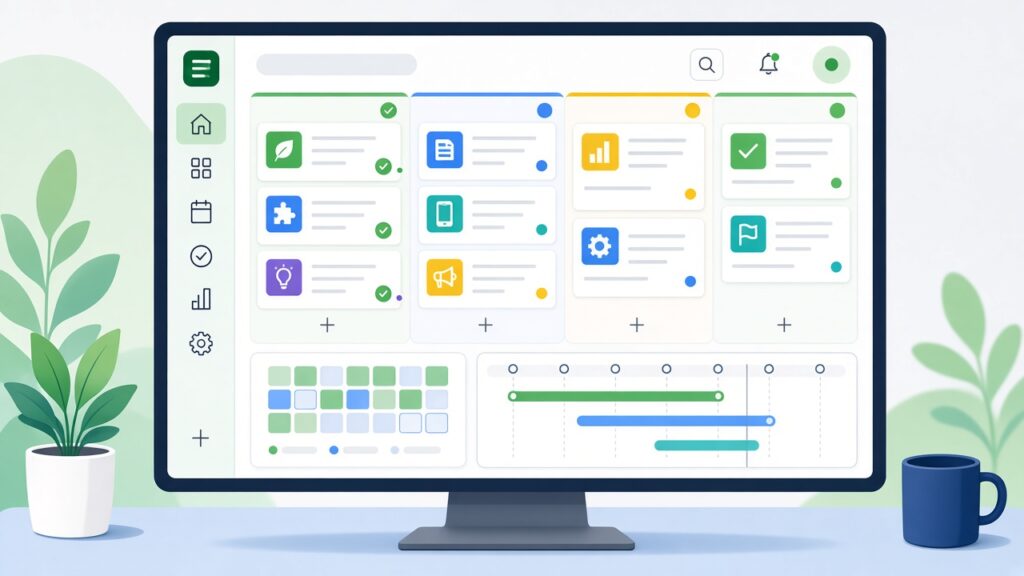
Many teams have tried a project management tool at least once. Someone signs up, sets up a few boards, invites everyone, and for two weeks it works beautifully. Then updates slow down, people go back to email and chat messages, and the tool quietly becomes a graveyard of half-finished tasks.
The problem is rarely the software itself. It’s usually a mismatch between the tool and how the team actually works, or a rollout that skipped some important steps. Here’s how our team helps businesses choose and introduce a project management tool that sticks.
Start with how your team works today
Before comparing features, take a week to notice how work currently moves through your team. Ask a few questions:
- Where do new tasks and requests come from?
- How do people know what they should work on next?
- Where do files, feedback and approvals live?
- What falls through the cracks most often?
- Who needs visibility into progress, and how much detail do they need?
The answers will tell you what problem you’re really solving. A small creative team that loses track of client feedback needs something different from a development team managing sprints or an operations team handling recurring checklists.
Understand the main styles of tools
Project management tools tend to lean towards one or more ways of organising work:
- Boards (kanban): Tasks move across columns like “To do”, “In progress” and “Done”. Very visual and easy to pick up.
- Lists: Simple task lists with due dates and owners. Great for straightforward work.
- Timelines and Gantt charts: Show how tasks connect over time. Useful for projects with dependencies and deadlines.
- Calendars: Helpful for content schedules, events and campaigns.
- Docs and wikis: Some tools combine tasks with shared documents, which works well for teams that plan and write together.
Most modern tools offer several views, but each has a style it does best. Choose the one that matches how your team naturally thinks about work.
Features that matter most
It’s easy to get distracted by long feature lists. In our experience, these are the ones that make a real difference day to day:
- Ease of use: If it takes a training course to add a task, adoption will suffer.
- Clear ownership and due dates: Every task should have one owner and a date.
- Comments and file attachments on tasks: So conversations stay attached to the work.
- Notifications you can control: Too many alerts and people tune out.
- Mobile apps: Important if your team works on the move.
- Integrations: Connections with your email, chat, calendar, file storage and other tools.
- Templates and recurring tasks: Save time on repeated processes.
- Permissions: Especially if you want to invite clients or freelancers.
Think about cost and growth
Most tools charge per user per month, and pricing often changes as you add advanced features. Look at what you’ll pay not just today, but when your team doubles. Check whether essential features like automations, guest users or reporting sit behind higher plans. A tool that seems cheap at five users can become expensive at twenty.
Run a real trial
Shortlist two or three options and test them with a real project, not a pretend one. Pick a small group that includes at least one enthusiast and one sceptic. The sceptic’s feedback is often the most valuable, because if they find it workable, others likely will too.
Give the trial two to four weeks. At the end, ask simple questions: Did it make work clearer? Did it save time? What annoyed you? Would you keep using it if it were optional?
Roll it out with clear rules
When you’ve chosen a tool, the rollout matters as much as the choice. A few ground rules help:
- Decide what goes in the tool. For example, every client task or every piece of work longer than an hour.
- Agree on a simple structure. Keep project names, columns and labels consistent.
- Set expectations for updates. Who updates what, and how often.
- Move conversations into tasks. When someone asks for work over chat, the reply is, “Can you add it to the board?”
- Lead by example. If managers keep assigning work by email, the team will follow.
Keep it simple at first
The temptation is to use every feature immediately: custom fields, complex automations, detailed reporting. Resist it. Start with the basics, get the habit established and then add more as real needs appear. A simple system people use beats a sophisticated one they avoid.
Review after a few months
After two or three months, gather the team and look at what’s working. Are there boards nobody uses? Are tasks piling up without owners? Are people still relying on side channels? Small adjustments at this stage keep the tool useful instead of letting it drift.
Conclusion
Choosing a project management tool isn’t about finding the one with the most features. It’s about finding the one that fits how your team works, testing it properly and introducing it with clear habits. Get those pieces right and you’ll spend less time chasing updates and more time doing the work.
If you’d like help choosing productivity tools, connecting them with your existing systems or automating your workflows, our team at xRapid Media LLP can help. Call us on +91 9767196309 or request a free consultation through our website.