
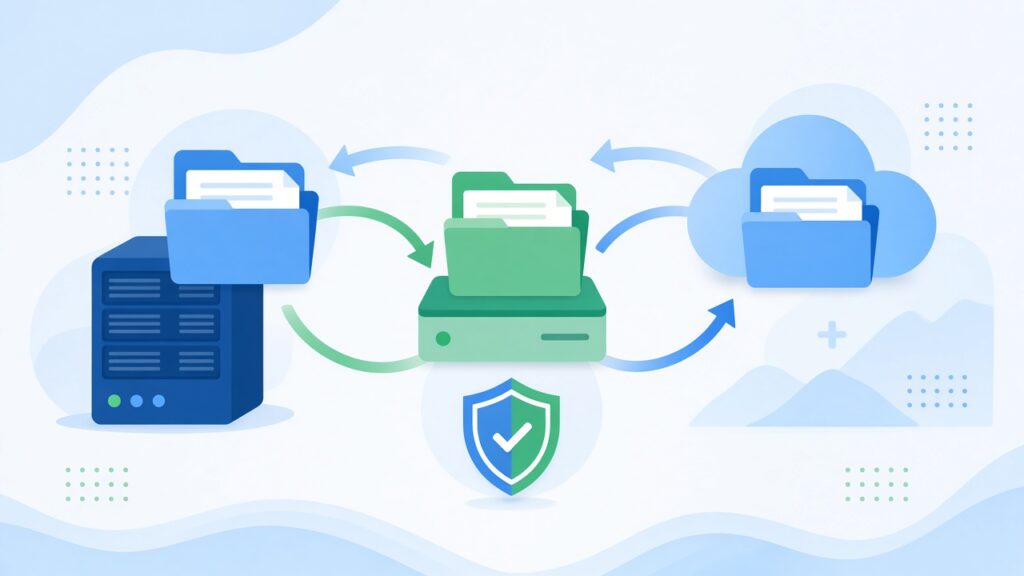
Most businesses only think seriously about backups after something goes wrong. A laptop dies, someone deletes the wrong folder, a website update breaks everything, or ransomware locks up files. In that moment, the only question that matters is, “Can we get our data back?”
A good backup plan means the answer is yes. One of the simplest and most widely recommended approaches is the 3-2-1 rule. Here’s how it works and how our team helps businesses put it into practice.
What the 3-2-1 rule means
The rule is easy to remember:
- 3 copies of your important data: the original plus two backups
- 2 different types of storage, such as a local drive and a cloud service
- 1 copy kept offsite, away from your main location
The idea is to avoid having a single point of failure. If your office suffers a fire, flood or theft, the offsite copy survives. If a cloud account has a problem, you still have a local copy. If one backup turns out to be corrupted, you have another.
Why one backup isn’t enough
Many businesses have something they call a backup, but it’s often a single external drive plugged into the same computer, or files synced to a cloud folder. Those help, but they have weaknesses.
A drive connected all the time can be encrypted by ransomware along with everything else. Cloud sync services are designed to mirror changes, so if a file is deleted or damaged on your computer, that change may sync to the cloud too. Version history helps, but it isn’t always enough on its own. Having separate, independent copies is what gives you real protection.
Step 1: Decide what needs protecting
Start by listing your critical data. For most businesses, this includes:
- Accounting and financial records
- Customer and supplier databases
- Contracts, proposals and important documents
- Email accounts
- Website files and databases
- Design files, photos and other creative assets
- Configuration for key systems and software
Don’t forget data that lives inside online tools. Many software-as-a-service platforms protect against their own infrastructure failures but expect you to handle accidental deletion or account problems yourself. Check what each provider actually covers.
Step 2: Choose your backup locations
A practical 3-2-1 setup for a small business might look like this:
- The original data on your computers, server or cloud workspace
- A local backup on a network storage device or external drive, which allows fast restores
- An offsite cloud backup with a dedicated backup service, which protects against local disasters
For websites, we usually recommend automated backups stored somewhere separate from the hosting account, so a problem with the server doesn’t take the backups with it.
Step 3: Automate everything you can
Backups that depend on someone remembering to run them eventually get skipped. Use software that runs on a schedule and alerts you if a job fails. How often you back up depends on how much work you could afford to lose. If losing a full day of changes would be painful, daily backups or continuous protection make sense.
Step 4: Protect the backups themselves
Backups contain your most valuable information, so treat them carefully:
- Encrypt backups, especially those stored offsite
- Use strong, unique credentials and multi-factor authentication on backup accounts
- Keep at least one copy isolated, either disconnected or protected with immutable storage that can’t be changed or deleted for a set period. This is especially useful against ransomware
- Limit access to the people who genuinely need it
Step 5: Test your restores
This is the step most people skip, and it’s the most important. A backup you’ve never restored is a backup you can’t fully trust. Every few months, pick a few files, a folder or even a full system and practise restoring it. Time how long it takes. You’ll find out whether the backups are complete, whether the process is documented and whether anyone besides one person knows how to do it.
Step 6: Write a simple recovery plan
Keep a short document that answers a few questions: what gets restored first, who is responsible, where the backups are, how to access them and who to contact for help. Store a copy somewhere you can reach even if your main systems are down. When something goes wrong, a clear plan saves a lot of stress and time.
Common mistakes to avoid
- Backing up only to a drive that sits next to the computer
- Assuming a cloud tool’s sync feature is a full backup
- Never checking whether scheduled backups actually succeed
- Keeping backup passwords in the same place as everything else
- Forgetting about email, websites and online apps
Conclusion
Data loss can happen to any business, but it doesn’t have to be a disaster. Keep three copies, on two types of storage, with one offsite. Automate the process, protect the backups and test your restores regularly. It’s a small investment of time that can save your business when it matters most.
Growing an IT business? xRapid Media LLP is a High Tech B2B Marketing company. We help cloud, hosting and DevOps companies find and engage the right B2B buyers through data-driven prospecting, verified contact data, account-based campaigns, email and LinkedIn outreach and appointment setting. Call +91 9767196309, email [email protected] or book a free B2B marketing consultation.